You have a client meeting on Thursday. Everything you need is somewhere in one folder: call notes, an old quote, three PDFs, a spreadsheet and a long email thread. Turning that pile into a clean proposal deck usually eats an evening. Gemini 4 Argon, Google’s most capable model you can use today, can do the first draft of that job for you, and you get your evening back.
In short: Gemini 4 Argon is Google’s most capable model you can use today, built for long, multi-step work across documents, spreadsheets and software projects. You get it in the Gemini app with a Google AI Pro or Ultra plan, and developers can pay per use through the Gemini API. Below: what changed, five uses by role, a 10-minute test with a ready-to-copy prompt, and the honest limits. One heads-up: on 28 October Google announced Gemini 4 Carbon, an even stronger model, but for now only a small group of security partners can use it. Argon is the one you can open today.
robotshelp Launchpad (free): step-by-step lessons to let AI do the boring part of your work.
No password needed – your reset opens instantly.
What changed with Gemini 4 Argon
On 13 October 2026 Google made Gemini 4 Argon available worldwide. It sits in the Gemini app and in AI Mode in Search for Google AI Pro and Ultra subscribers, in Google Antigravity, Google’s agent platform, for Ultra subscribers, and in the Gemini API for developers on the paid tier. Here is what that means at your desk:
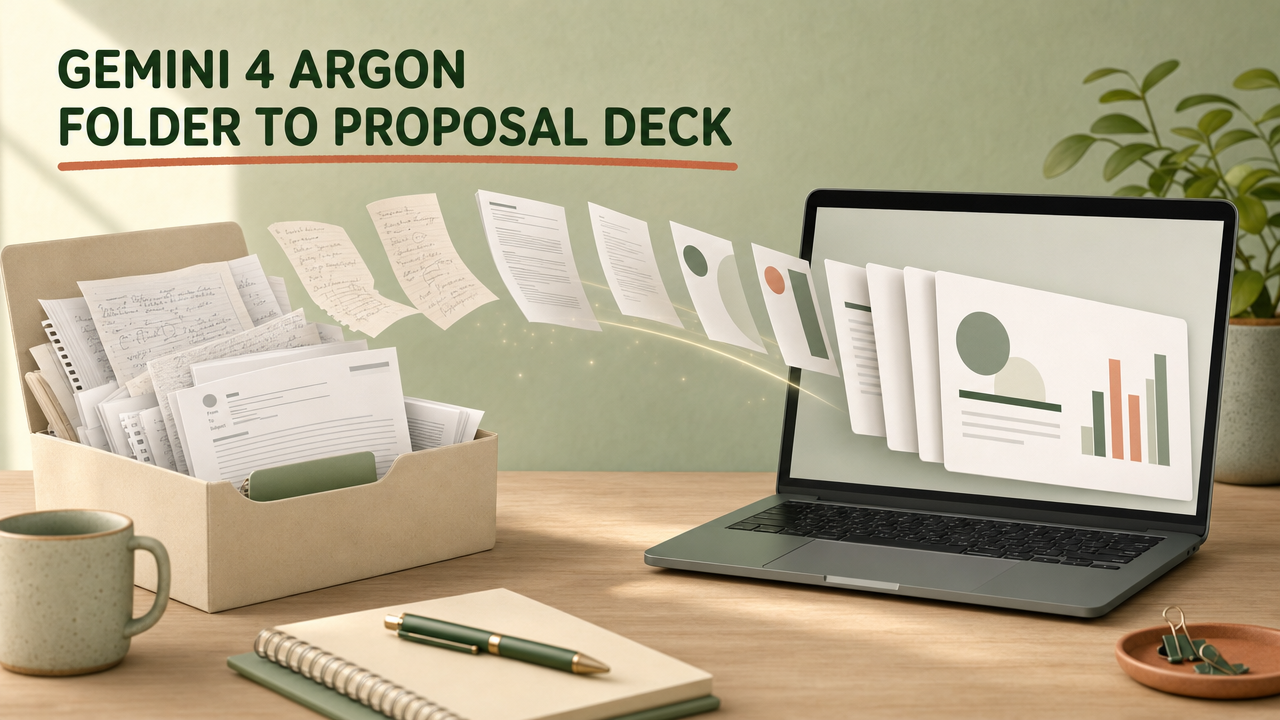
- It handles messy input. In Google’s own demo, Argon takes an unstructured folder of project material and formats it into a clean proposal deck for a client. For you: less copy and paste between files before you can even start.
- It follows your style instructions better. Google says Argon follows style instructions better than any earlier Gemini model, answers more directly with less hedging, and skips clichés. For you: fewer rewrites to make it sound like your company.
- Your plan already reads a lot at once. This part is not new with Argon: Pro and Ultra already gave the Gemini app a context window of 1 million tokens, which is the amount of material it can keep in mind together. What Argon adds is better work on top of all that material. For you: a full contract, a year of meeting notes or a big spreadsheet in one chat, now handled by a stronger model.
How your team can use it
Sales: a proposal deck from a client folder
Your account manager has a folder for a prospect: discovery call notes, pricing from last year and the brief they sent. She uploads it, asks Argon for a proposal deck in the team’s usual order (problem, approach, timeline, price, next step) and then asks for a short follow-up email to send with it. She checks the numbers and sends it herself.
Finance: long documents and spreadsheets side by side
A controller has the quarterly budget sheet and a 40-page board pack. He asks Argon to list every place where the spending in the sheet does not match the story in the pack, with the page and the cell.
Operations and managers: a clean handoff
A project lead is going on leave. She gives Argon the project folder and asks for a handoff document: open tasks, who owns what, decisions made, risks and the three things her colleague must do in week one.
HR: check a new policy against the old handbook
An HR advisor uploads the current employee handbook and the draft of a new hybrid work policy. She asks Argon to list every sentence in the draft that conflicts with the handbook, quoting both. She still decides what changes, without the highlighter marathon.
Support: find the pattern in a ticket export
A support lead exports last month’s tickets as a spreadsheet. He asks Argon to group them by root cause, count each group and write a one-page summary for the product team. The counting is the part you double-check before you share it.

Before vs now
- Last month: an evening opening ten files and building slides from scratch. Now: upload the folder, give your structure, edit a draft.
- Last month: a first draft from a long report that still needed heavy rewriting to match your style. Now: the same long report and spreadsheet in one chat (the 1 million token room comes with Pro and Ultra, as before), with Argon following your style instructions more closely.
Try it yourself in 10 minutes
Pick one real client or project you are working on this week. Then:
- Open the Gemini app or the Gemini website and sign in with the Google account that has your AI Pro or Ultra plan.
- Open the model picker at the top and choose 4 Argon. Don’t see it? Update the app and check again later, since Google rolls features out in stages.
- Upload the files for that one client: notes, the brief, an old quote, the relevant spreadsheet. Leave out confidential files you don’t need.
- Paste the prompt below and fill in the brackets.
- Read the outline first. Fix the order or the tone in a reply before you ask for the full deck.
- Turn the outline into real slides. On the Gemini website, click Canvas below the chat box and type: “Create a presentation from the approved outline above.” Gemini builds the slides with a theme and images in the Canvas panel. Click Export at the top right to open them in Google Slides, where you can edit and share the deck.
- Check every number, date and name against your files before anything goes out.
Copy this prompt:
You are helping me prepare a client proposal. The files I uploaded are everything I have on [client name]: call notes, their brief and older material.
1. First, list in 5 bullets what the client actually wants, using only what is in the files. Mark anything you are unsure about with “CHECK”.
2. Then make an outline for a proposal deck of at most 10 slides in this order: their situation, the problem, our approach, timeline, investment, next step.
3. Write it in plain, friendly English, short sentences, no buzzwords. Use our prices only if they appear in the files; otherwise write [PRICE].
4. Finish with a 120-word follow-up email I can send with the deck.
Wait for my feedback on the outline before writing full slides.
The “CHECK” and [PRICE] markers matter. They make the model show you where it is guessing, so nothing invented slips into a client document. If you want the slide design itself to look good, our guide on how to use AI to make a presentation covers that part.

Honest limits
- It is not free. In the Gemini app you need Google AI Pro or Ultra. Google AI Plus does not list Argon, and The Verge noted it is not clear when, or if, Plus and free users will get it.
- Usage has a ceiling. Gemini app limits are based on how heavy your requests are. They refresh every 5 hours until you reach a weekly limit. Pro gets 4 times the standard limits; Ultra gets 5 or 20 times the Pro limits, depending on the plan.
- Busy moments. Some Pro users on Google’s help forum report a message that a different model answered because advanced models were in high demand.
- Not every country. Argon in AI Mode is limited to select countries, and some features, like Tasks, start in select countries only.
- You still check the facts. A model that writes clean slides can still misread a number or mix up two clients. Review everything before it goes out under your name.
- API costs will double. The developer price is introductory until 30 November 2026, then it goes up.
Who can use Gemini 4 Argon now
Checked on 1 November 2026 on Google’s own plan and pricing pages (US prices; in the Netherlands, for example, Pro shows as €21.99 a month).
| Plan | Price | What it allows for work |
|---|---|---|
| Free | $0 | No Argon access |
| Google AI Plus | $4.99 a month | Argon not listed in the plan |
| Google AI Pro | $19.99 a month | Argon in the Gemini app and AI Mode, 1M token context, 4x standard usage limits |
| Google AI Ultra | $99.99 or $199.99 a month | Highest Argon access (5x or 20x Pro limits), plus Argon in Google Antigravity |
| Gemini API (developers) | $2 per 1M input tokens and $10 per 1M output tokens until 30 Nov 2026; $4 and $20 from 1 Dec 2026 | Build Argon into your own tools; paid tier only, not on the free tier |
Quick questions
Is Gemini 4 Argon free?
No. In the Gemini app it comes with Google AI Pro or Ultra, and in the Gemini API it is only on the paid tier.
Do I need Ultra, or is Pro enough?
Pro is enough for the Gemini app and AI Mode. Ultra gives higher limits and adds Argon in Google Antigravity.
How much does Gemini 4 Argon cost in the API?
$2 per million input tokens and $10 per million output tokens until 30 November 2026. From 1 December it is $4 and $20, and thinking tokens count as output.
Can Argon send the proposal to my client by itself?
Google’s demo shows Gemini drafting and emailing a deck and setting up a scheduled task. Whether you see those options depends on your plan and country, and it is wise to send client emails yourself after a check.
New to Gemini altogether? Start with our Gemini tutorial for beginners. Working mostly with numbers? See how to analyze a spreadsheet for work with AI. And for more practical AI guides you can use this week, start with the free Launchpad on our home page.
Sources
- Google: Gemini 4 Argon, built to solve your hardest problems (13 Oct 2026)
- Google: Gemini 4 Argon for Robotics, with getting-started details (13 Oct 2026)
- Google: Gemini Developer API pricing (checked 1 Nov 2026)
- Google: Google AI Pro and Ultra plans (checked 1 Nov 2026)
- Gemini Apps Help: limits and feature availability
- Google: Introducing Gemini 4 Carbon (28 Oct 2026)
- Google Workspace Updates: Generate presentations in the Gemini app
- The Verge: Google finally releases Gemini 4 Argon (13 Oct 2026)
- 9to5Google: Gemini app rolling out Gemini 4 Argon to AI Pro and AI Ultra (13 Oct 2026)
- Gemini Apps Community: Pro user report on model fallback
robotshelp Launchpad (free): step-by-step lessons to let AI do the boring part of your work.
No password needed – your reset opens instantly.